Find It Fast
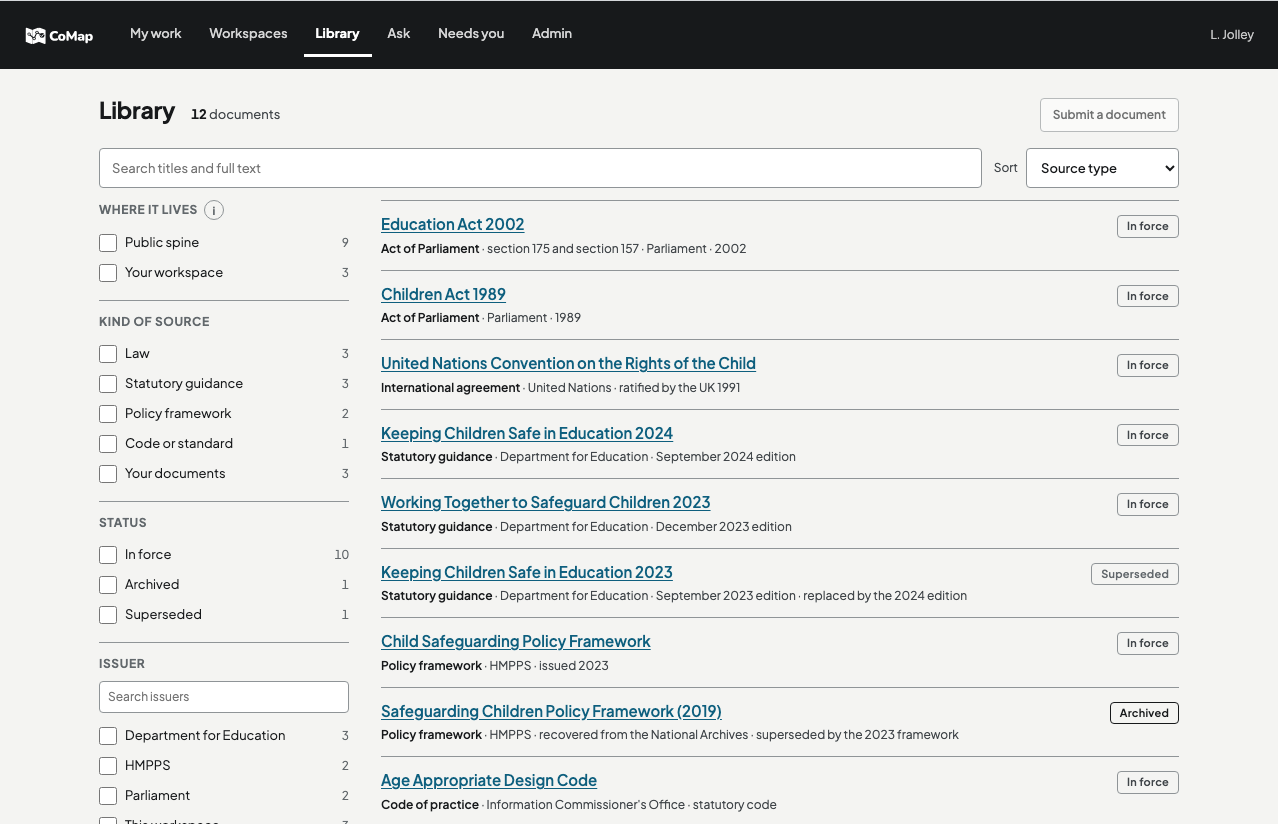
Search the published law and policy your organisation works to in Knowledge, by publisher, kind and who it applies to. Open any document at the paragraph you need.
Ask what they say about your work, open the exact passage, and start a register of what a document requires. Then mark what your own documents cover.
What an organisation knows is spread across published policy, guidance and its own documents, and much of it is never read. It used to live in the heads of colleagues who stayed for decades. People move on sooner now, and that memory goes with them.
Ideas get lost in the same way. A good one starts in a meeting or an email, and there is nowhere to test it against the rules or build on it with the colleagues who should see it.
You need what your organisation knows in front of you, with its source, and a place to work on it together.
Each one starts from what your organisation already knows, and every line drawn from a document names its source.
Search the published law and policy your organisation works to in Knowledge, by publisher, kind and who it applies to. Open any document at the paragraph you need.
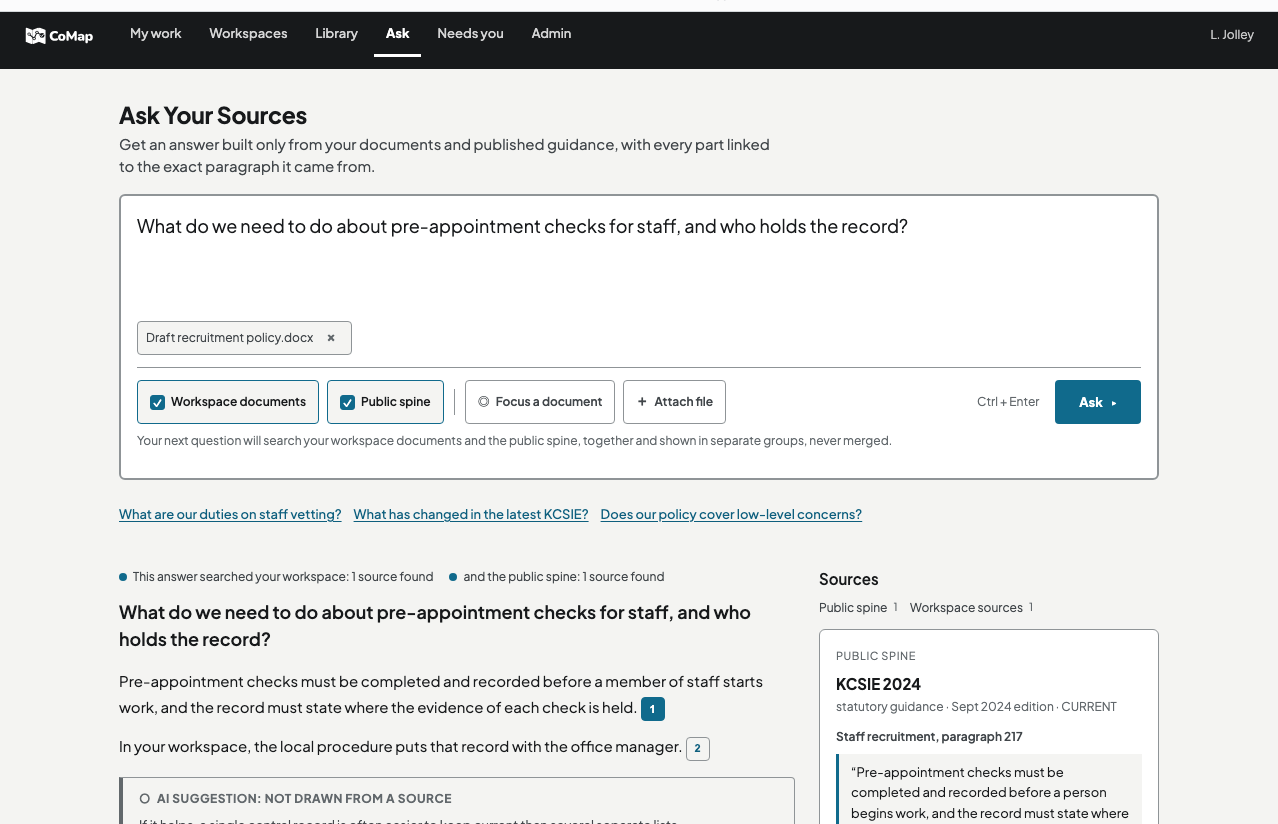
Ask on your own, or in a conversation your team shares, where colleagues read the answers and add to them. Ask reads your workspace's own documents beside published policy. Each line drawn from a document points to its paragraph, and the AI's own reasoning is never dressed up as a sourced fact.
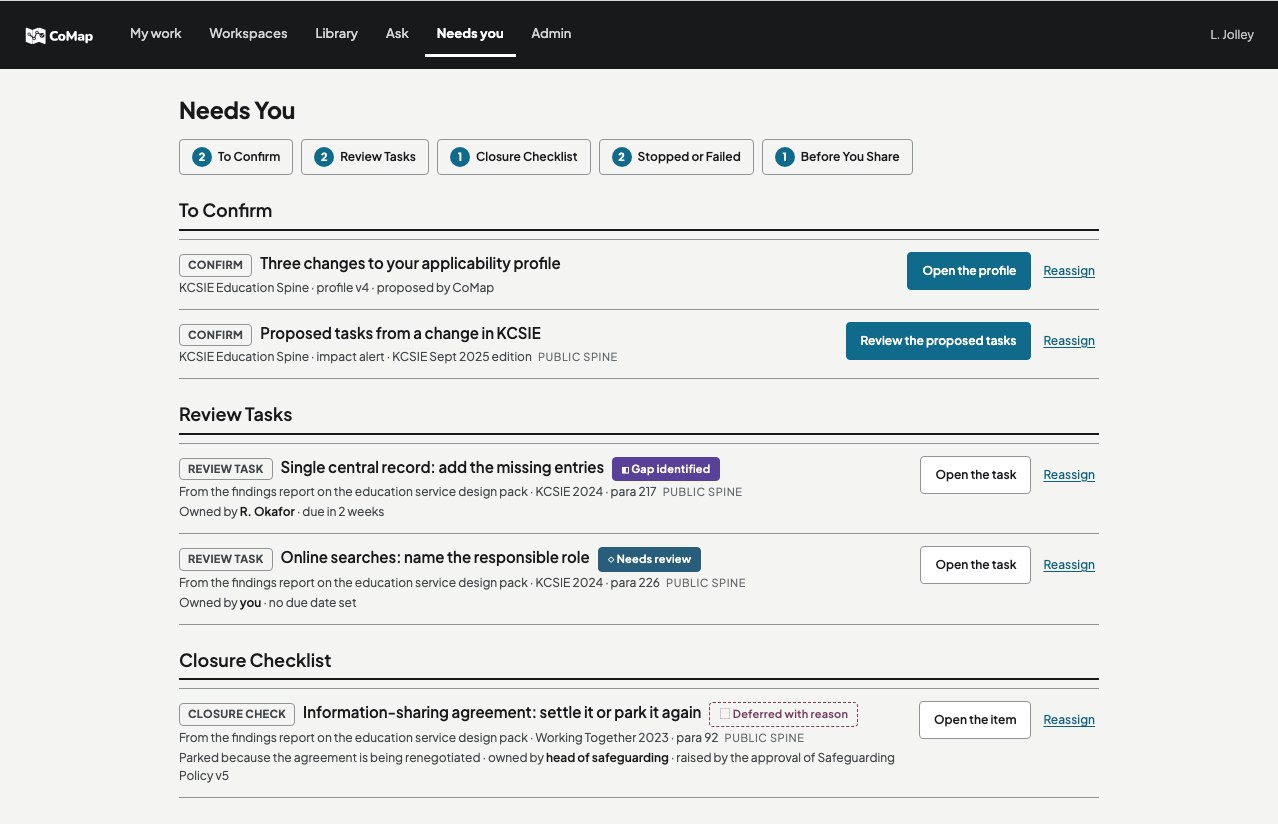
Turn a conversation or a search into a briefing, a requirements register, a plan or any of more than a hundred kinds of artefact. CoMap drafts from current sources and marks what it drafted. You decide what stays, and you stay accountable for every line.
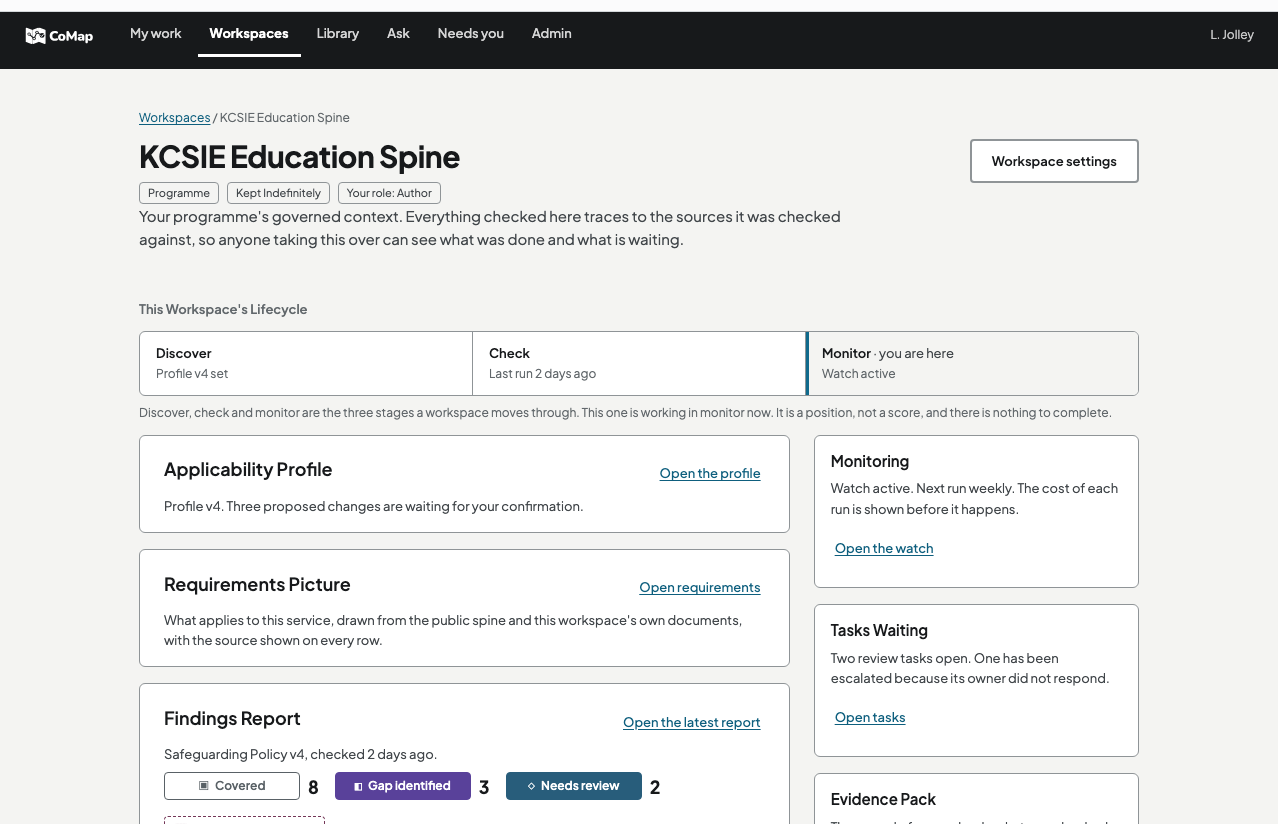
A workspace is a place to try an idea out. Start one on your own or with your team, add your own documents, and ask what the rules and your organisation's knowledge say about it as it grows. Your files stay in that workspace.
Compliance mapping is one of the things people do in CoMap. Put your documents beside the rules that apply to them, and see what is covered and where the gaps are.
Start a requirements register from a document, and CoMap lists what it requires, each with its paragraph.
Mark each requirement in a register Covered, Gap identified, Needs review or Deferred with reason, and link the document that meets it. There is never a verdict.
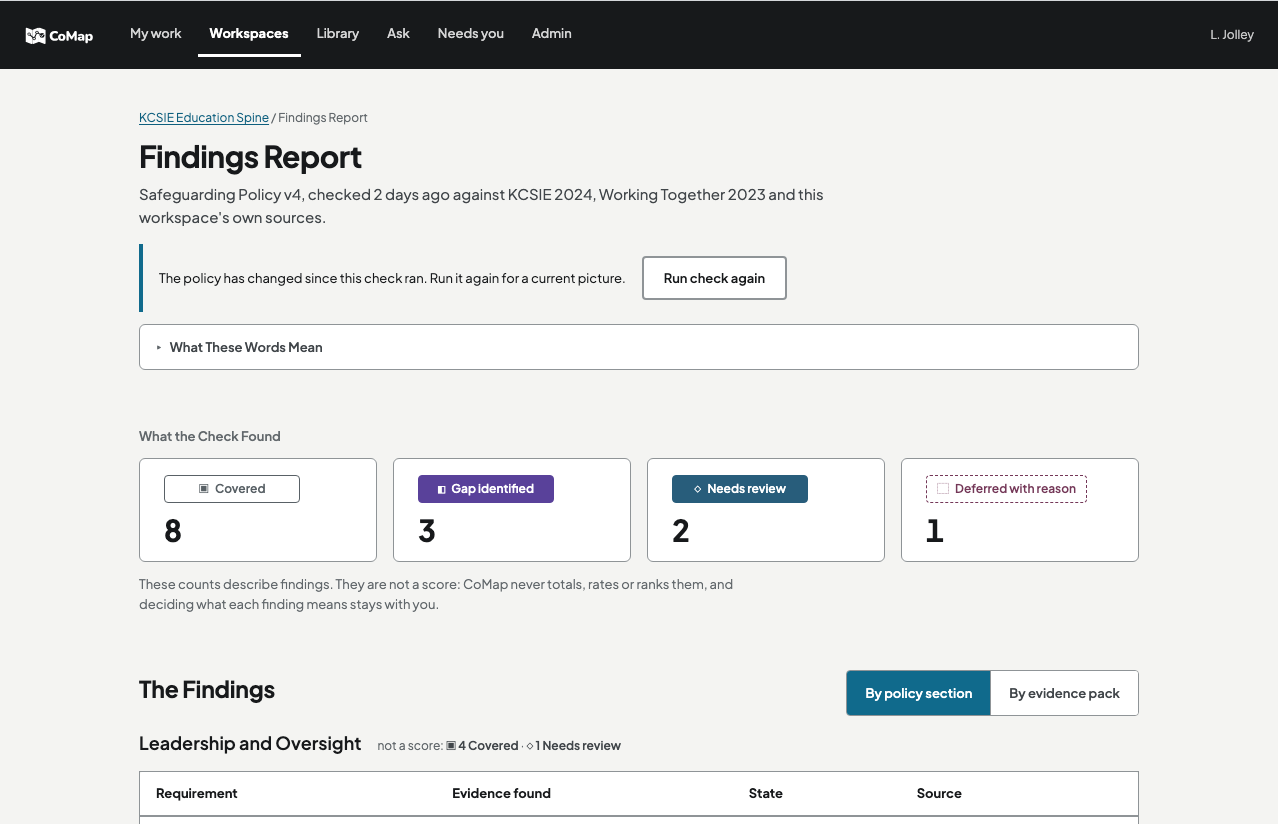
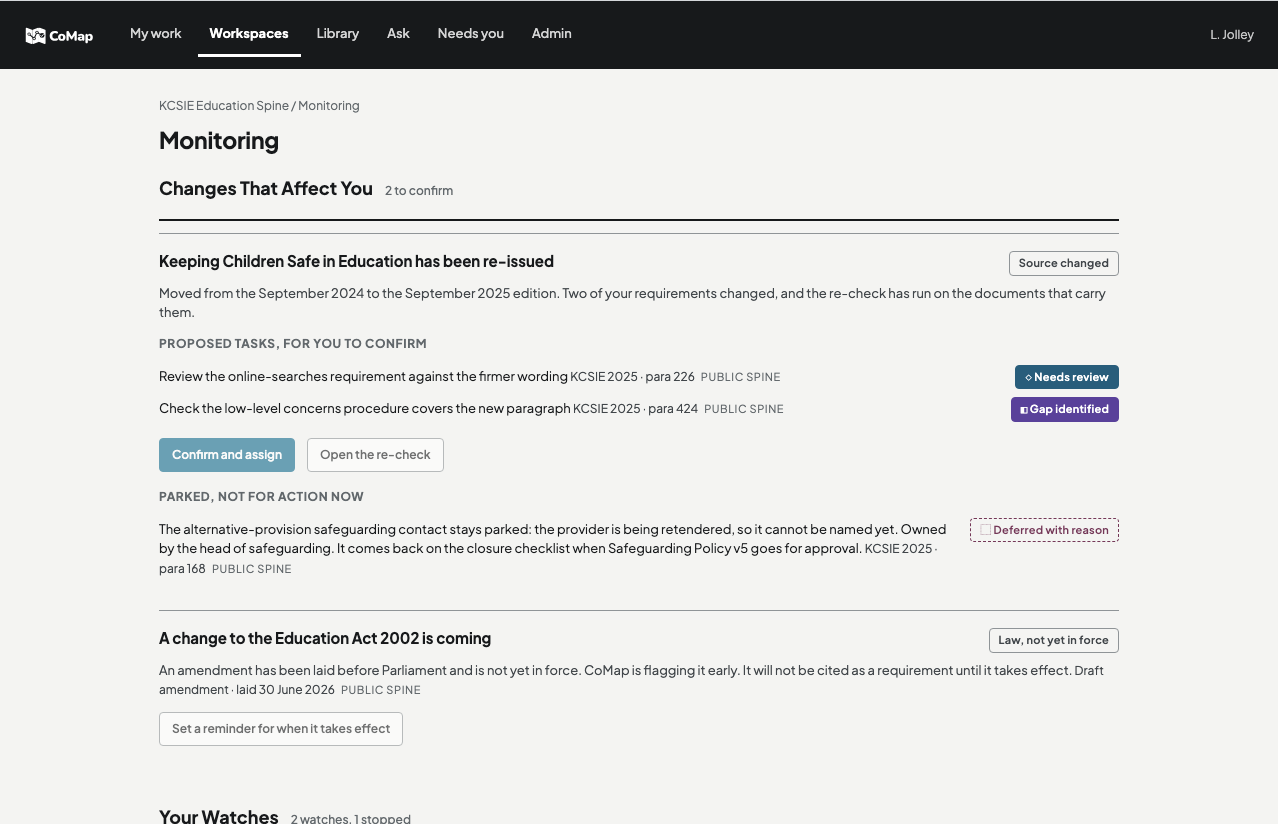
When a policy behind a register is re-issued, What Changed shows which of your requirements rest on a changed paragraph. Scheduled rechecks of your own documents are planned.
Close the gaps the check found. Any improvement ideas are marked as the model's own reasoning, not as a sourced finding.
The evidence pack records what was checked, against which sources and with which assumptions, and hands the next owner a current briefing.
Every line written with AI help is either grounded in a named document, version and paragraph, or clearly flagged as ungrounded. The two never look the same.
CoMap shows you what the sources say, and where you map work against them it shows coverage and gaps. It never decides whether your work complies. That decision stays with you.
What stays in your workspace, who can see it, and what is sent to a hosted model to be answered.
Your files stay in the workspace you added them to, Private or Open To The Organisation. They are never published or mixed into Knowledge.
Only include what your organisation's handling rules allow. For UK public-sector organisations that means nothing above OFFICIAL. CoMap checks each upload for protective markings on its own server, and refuses anything marked above OFFICIAL.
Connected documents stay in SharePoint or wherever they already live. CoMap keeps only the evidence and processing records it is allowed to keep.
CoMap does not train on your private content.
Businesses and organisations of every kind: new and established businesses, suppliers to government, and public bodies.
CoMap is invite-only while it is in preview. You can request an account, or sign in if you already have one.